会员可以在此提问,百战程序员老师有问必答
对大家有帮助的问答会被标记为“推荐”
看完课程过来浏览一下别人提的问题,会帮你学得更全面
截止目前,同学们一共提了 134309个问题
Python全系列/第七阶段:网页编程基础/小米官网项目 28156楼

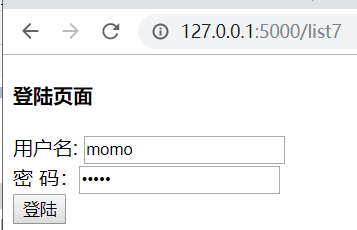
bug.png

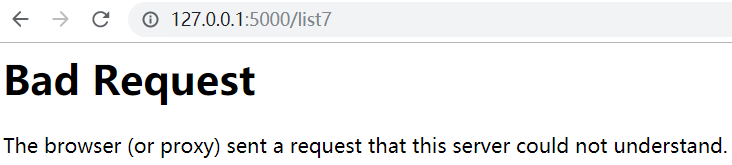
bug2.png

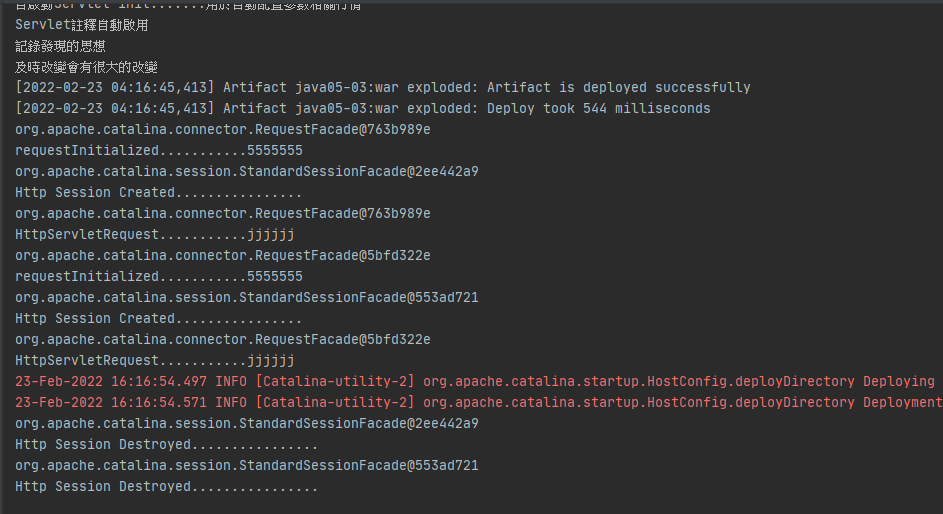
bug3.png

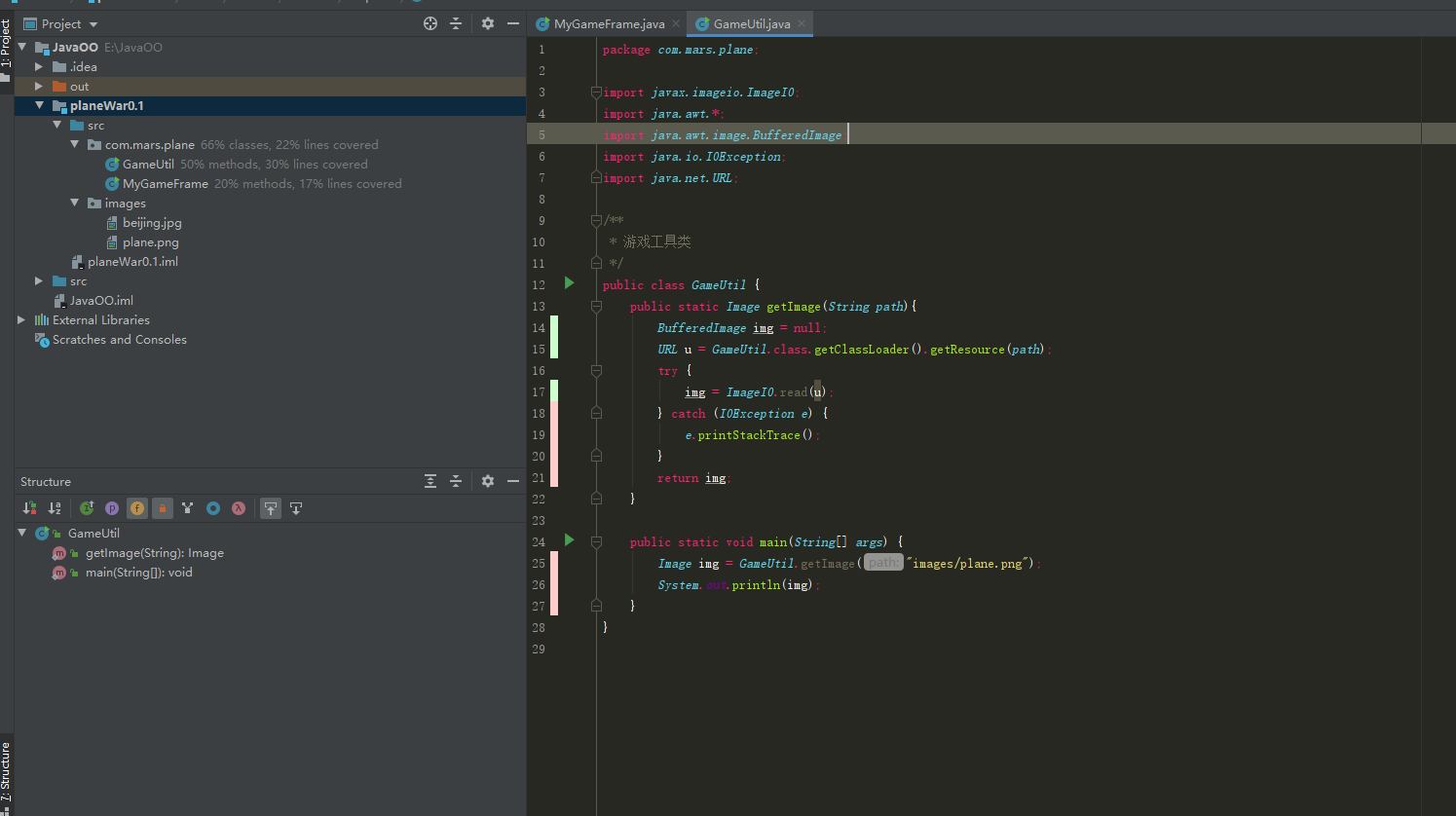
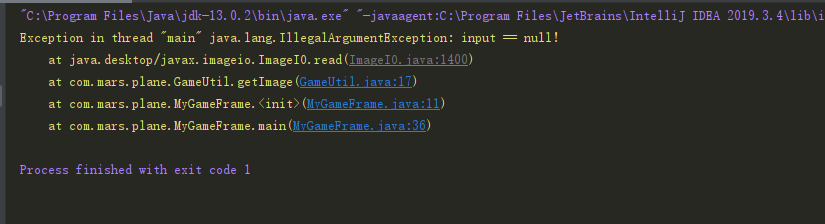
高老师,我实在找不到是哪里的问题,为什么还是找不到路径呢?

JAVA 全系列/第一阶段:AI驱动的JAVA编程/飞机大战小项目训练 28157楼
JAVA 全系列/第六阶段:JavaWeb开发/JSP技术详解(旧) 28160楼

<!DOCTYPE html>
<html lang="en">

<head>
    <meta charset="UTF-8">
    <meta name="viewport" content="width=device-width, initial-scale=1.0">
    <title>响应式布局实操</title>
    <style>
        * {
            margin: 0;
            padding: 0;
        }

         body{
            background-color: #f1f1f1;
         }

        .nav {
            width: 100%;
            height: 50px;
            background-color: #555;
            overflow: hidden;
            clear: both;
            line-height: 50px;
        }
        .list{
            width: 80%;
            margin: 0 auto;
            /* list让内容往中间显示 */
        }
        .nav ul{
            overflow: hidden;
            clear: both;
            float: left;
        }

        .container .nav ul li {
            list-style: none;
            float: left;
            padding: 0 20px;
        }

        .container .nav ul li a {
            text-decoration: none;
            color: white;
            font-size: 16px;
        }
        .container .nav ul li.select {
            background-color: orange;
        }

         .nav .search {
            float: right;
            /* position: relative; */
        }

        .container .nav .search input {
            height: 30px;
            width: 200px;
            border: none;
            padding-left: 10px;
            border-radius: 50px;
            display: inline-block;
            /* position: absolute;
            top: 10px;
            right: 100px; */

        }

        .container .nav .search button {
            height: 30px;
            width: 60px;
            border: none;
            border-radius: 50px;
            margin-left: 20px;
            background-color: orange;
            color: white;
            font-size: 16px;
            display: inline-block;
            /* position: absolute;
            top: 10px;
            right: 20px; */
        }
    </style>
</head>

<body>
    <div class="container">
        <div class="nav">
            <div class="list">
                <ul>
                    <li class="select"><a href="#">首页</a></li>
                    <li><a href="#">关于</a></li>
                    <li><a href="#">服务</a></li>
                    <li><a href="#">联系</a></li>
                </ul>
                <div class="search">
                    <input type="text" placeholder="搜索...">
                    <button>搜索</button>
                </div>
            </div>
        </div>
    </div>
    </div>
</body>

</html>

老师,我在搜索框后面加了button按钮,但是搜索框input和button不在一条水平线上,是因为浮动的影响吗?还是我别的地方写错了?我上述代码中注释掉的部分是给父元素search添加了position,然后分别给子元素input搜索框和button添加了绝对定位,解决了这个问题,请问这样做对吗?还有没有其他解决办法使他们的高度齐平image.png

WEB前端全系列/第一阶段:HTML5+CSS3模块/CSS3新特性 28161楼
JAVA 全系列/第六阶段:JavaWeb开发/Servlet技术详解(旧) 28163楼
Python全系列/第二十三阶段:人工智能基础_机器学习理论和实战(旧)/XGBoost算法 28166楼
JAVA 全系列/第十一阶段:分布式RPC调用和分布式文件存储/Swagger 28169楼

"""测试Label组件的基本用法,使用面向对象的方式"""

from tkinter import *


class Application(Frame):
    """一个经典的GUI程序的类的写法"""

    def __init__(self, master=None):
        super().__init__(master)  # super()代表的父类的定义而不是父类对象
        self.master = master
        self.pack()
        self.createWidget()

    def createWidget(self):
        """创建组件"""
        self.label01 = Label(self, text='百战程序员', width=10, Height=2,
                             bg='black', fg='white')
        self.label01.pack()

        self.label02 = Label(self, text='高淇老师', width=10, Height=2,
                             bg='blue', fg='white', font=('黑体', 30))
        self.label02.pack()

        # 显示图像
        global photo      # 把global声明成全局变量
        photo = PhotoImage(file='imgs/logo.gif')
        self.label03 = Label(self, image=photo)
        self.label03.pack()

        # 显示多行文本
        self.label04 = Label(self, text='北京尚学堂\n百战程序员\n老高真帅',
                             borderwidth=1, relief='solid', justify='right')
        self.label04.pack()


if __name__ == '__main__':
    root = Tk()
    root.geometry('400x240+200+300')
    app = Application(master=root)
    root.mainloop()

老师帮忙看下哪里有问题

Python全系列/第二阶段:Python 深入与提高/GUI编程(隐藏) 28170楼

课程分类

百战程序员微信公众号

百战程序员微信小程序

©2014-2025百战汇智(北京)科技有限公司 All Rights Reserved 北京亦庄经济开发区科创十四街 赛蒂国际工业园
网站维护:百战汇智(北京)科技有限公司
京公网安备 11011402011233号    京ICP备18060230号-3    营业执照    经营许可证:京B2-20212637